Connect Claude or ChatGPT to Seasonly
Three steps: copy your Seasonly address, add it in Claude or ChatGPT, then sign in and press Allow.
Steps
Step 1. In Seasonly, open Settings, choose AI & API, and under Copy your Seasonly address press Copy address.
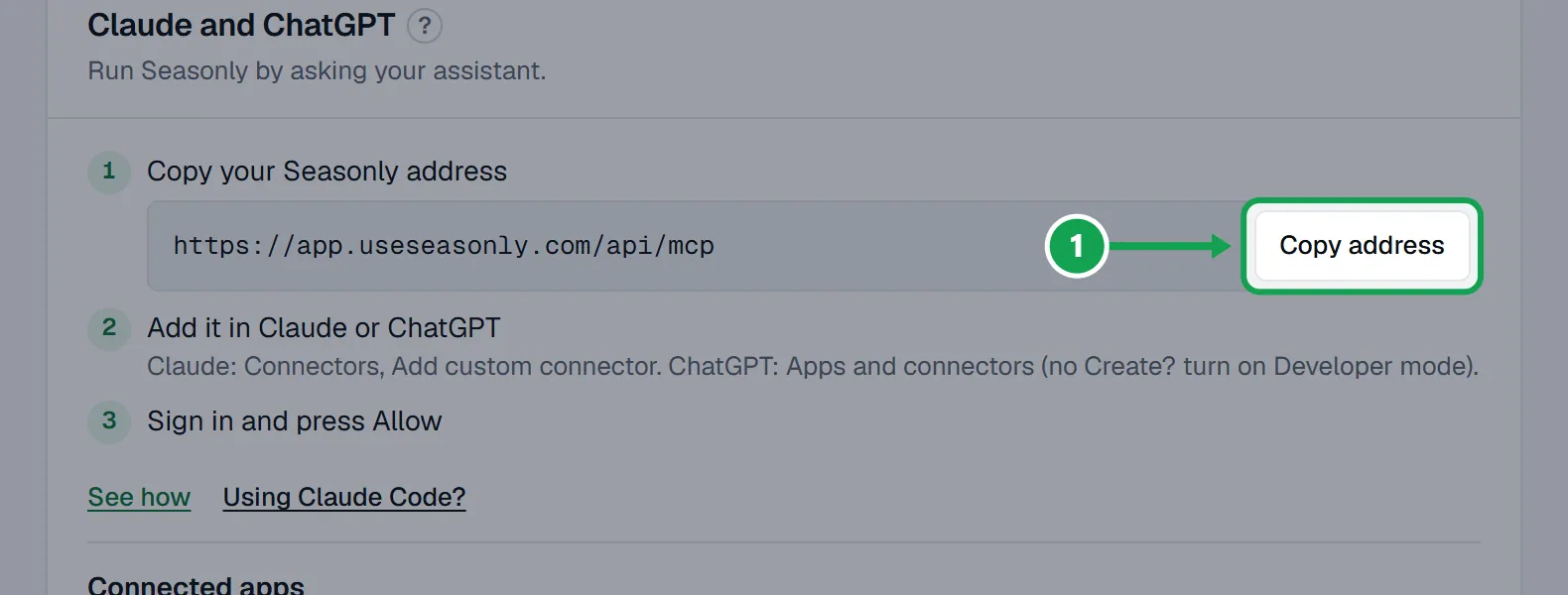
Step 2. Add it in Claude or ChatGPT. In Claude: Settings, Connectors, Add custom connector, name it Seasonly and paste the address. In ChatGPT: Settings, Apps and connectors, Create, and paste the address (no Create button? turn on Developer mode first).
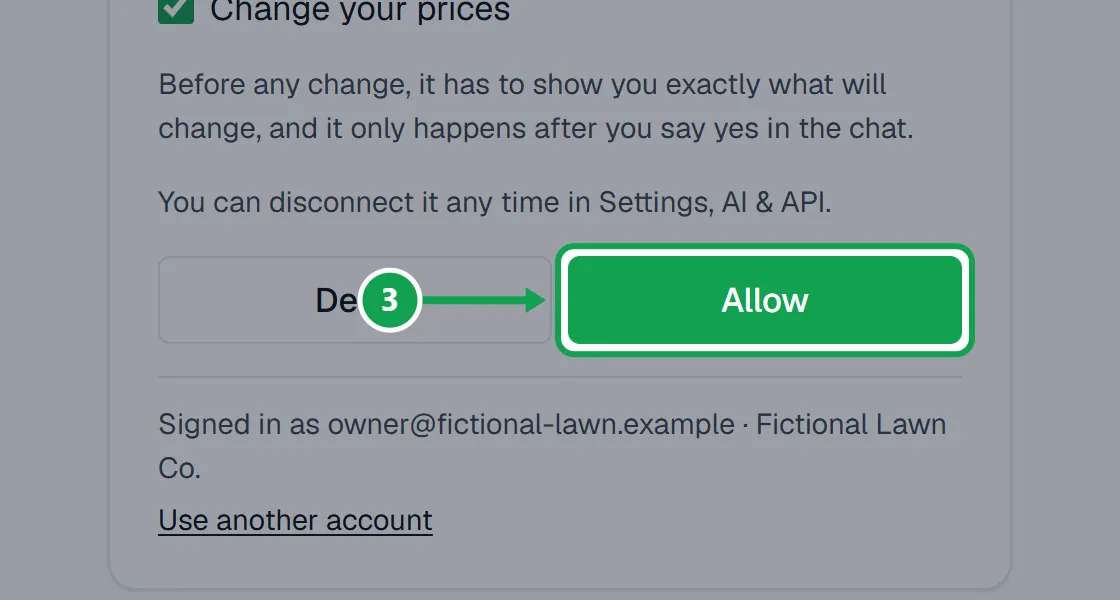
Step 3. Sign in to Seasonly if asked. On Connect an app to Seasonly?, read what it will be able to do and press Allow.
Check it works
Step 1. In your chat, ask "what's my update" or "what can you do in Seasonly".
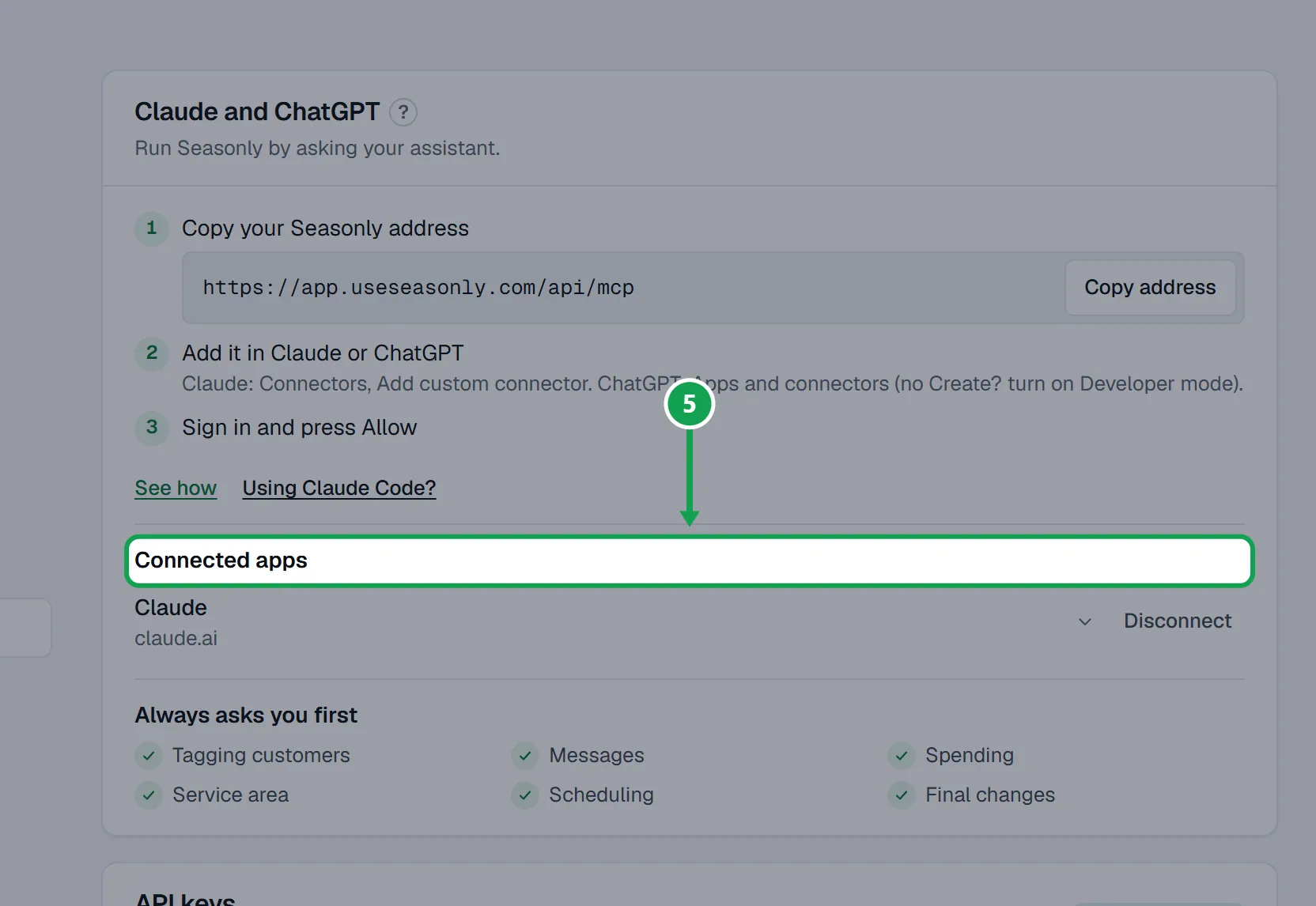
Step 2. Back in Seasonly, the app now shows under Connected apps on AI & API.
Claude Code
Step 1. On AI & API, open Using Claude Code? and copy the command it shows.
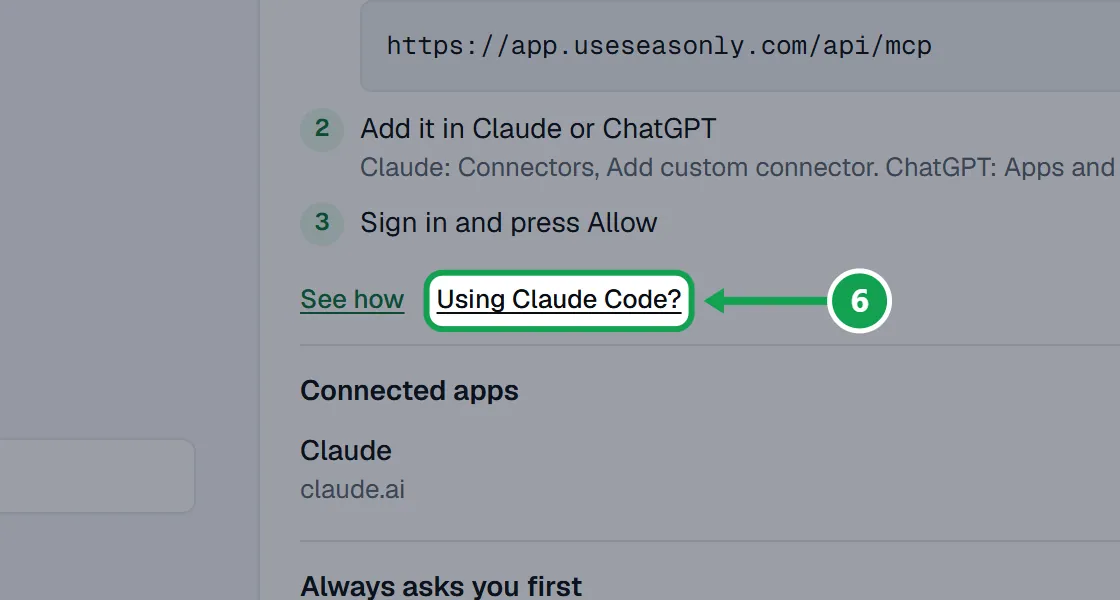
Step 2. Run it in your terminal, then type /mcp and sign in.
Disconnect an app
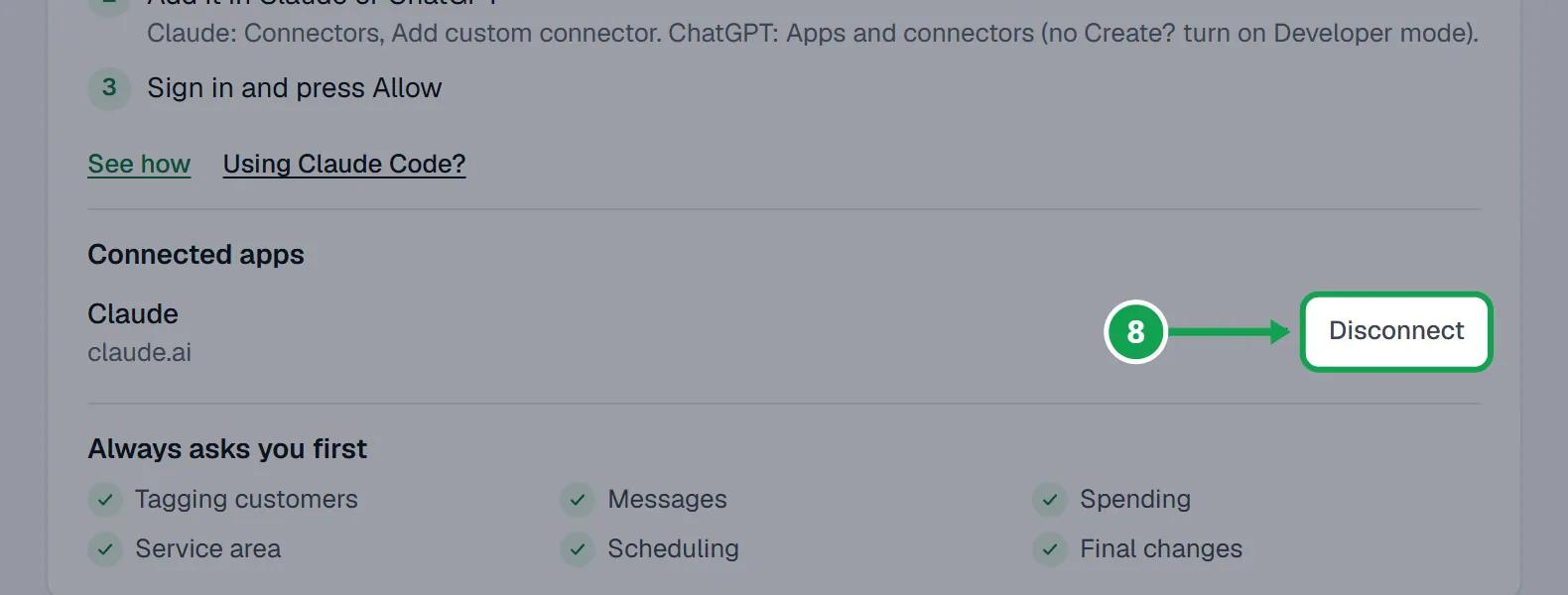
Step 1. On AI & API, under Connected apps, press Disconnect beside the app.
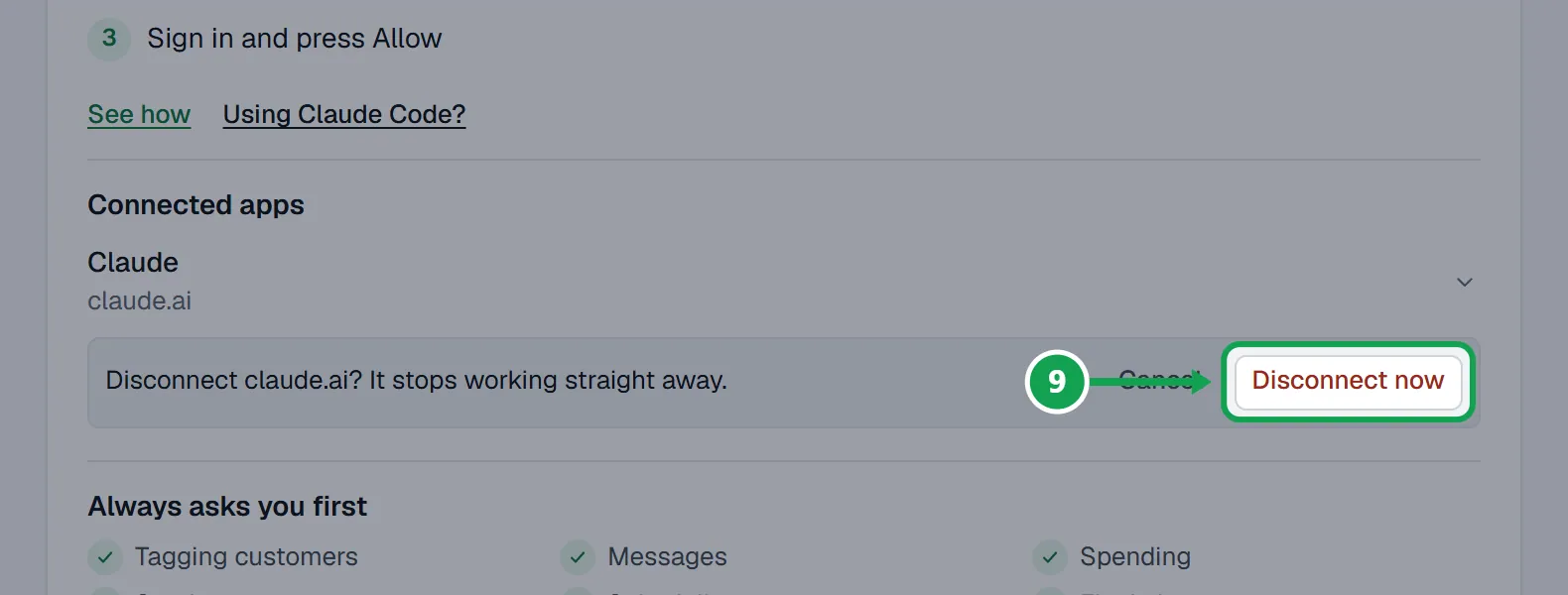
Step 2. Press Disconnect now. It stops working straight away.
If this, then that
- If Claude, ChatGPT or your tool says MCP and API access is part of Premium. Upgrade on the Billing page in Seasonly to turn it on.
- Your company is on Free. The owner presses Upgrade on Billing, then tries again.
- If ChatGPT has no Create button
- In ChatGPT, open Settings, then Advanced, turn on Developer mode, and go back to Apps and connectors.
- If Seasonly says AI & API is not switched on for Seasonly yet
- Connecting is not open for your account yet. You can still see and disconnect anything already connected.
- If you are signed in as staff
- You can connect an app to look at things only. The consent screen lists what is left out under Not included, because only the owner can allow changes:. Changes need the owner's own connection.
- If the consent screen shows the wrong login
- Press Use another account, sign in as the right person, and start again from Claude or ChatGPT.
- If you did not start the connection yourself just now
- Press Deny. Only press Allow for a connection you started.
- If Claude says it cannot reach Seasonly
- Check the app is still under Connected apps. If it says Disconnected, add the address again and press Allow.
Good to know
- MCP and API access is part of Premium, and every new account gets 14 days of it.
- Before any change, Claude shows you exactly what will change and waits for your yes in the chat. Some changes also wait on your Approvals page.
- Staff can connect an app to look at things only. Changes need the owner's own connection.
- Untick anything on the consent screen you do not want it to do.
- Connecting the same app again replaces the older connection.
- The address ends in /api/mcp and is the same for every company. It is not a password.