Use Seasonly next to Homeworks and other connectors in Claude
Seasonly works alongside the Homeworks connector and others, like a site builder's, in the same Claude chat. Seasonly does not control them.
Steps
Step 1. Connect Seasonly in Claude first, if you have not yet (see Connect Claude or ChatGPT to Seasonly).
Step 2. In Claude, add the other company's connector the way that company tells you to. Homeworks has its own connector, and a site builder like Squarespace may offer one too.
Step 3. Sign in to that company's account when Claude asks. That sign-in is with them, not with Seasonly.
Step 4. In the chat, say which app you mean when it matters: "in Seasonly, ..." or "in Homeworks, ...".
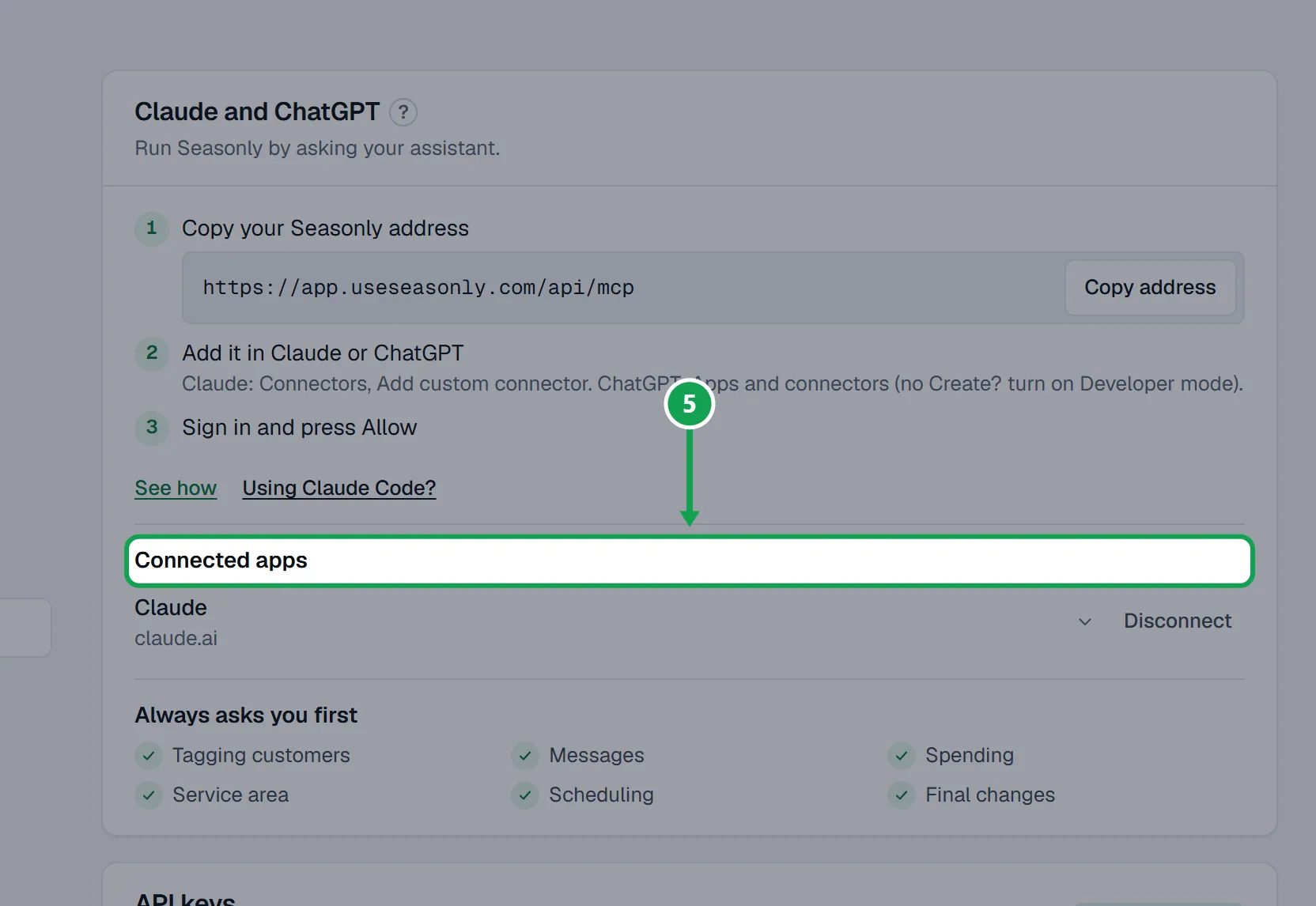
Step 5. To see which apps can reach Seasonly, open Settings, choose AI & API and look under Connected apps. Other connectors are not listed there.
If this, then that
- If Claude made a change through the Homeworks connector
- Seasonly did not do it and cannot see or undo it. Seasonly's Approvals and trust only cover changes made through Seasonly.
- If your site builder offers a Claude connector
- Connect it in Claude too. Claude can then work on your website while Seasonly handles your booking form and campaigns.
- If your site builder has no connector
- Put the booking form on your site yourself with a link or an embed. See Put a form on your website.
- If two connectors can both do what you asked
- Tell Claude which one to use. Seasonly shows its dry run before any change, so you can tell it is Seasonly asking.
- If you no longer want a connector
- Remove other connectors in Claude's own settings. For Seasonly, use Disconnect under Connected apps.
Good to know
- Seasonly does not control, check or approve other connectors. Each company decides what its own connector can do.
- Seasonly reads Homeworks through its own connection, set up in Seasonly, not through Claude's Homeworks connector.
- Only connect apps from companies you trust, and only press allow on sign-ins you started.