Set your time zone
The one company clock that working hours, the schedule, campaign dates and follow-up send times run on.
Steps
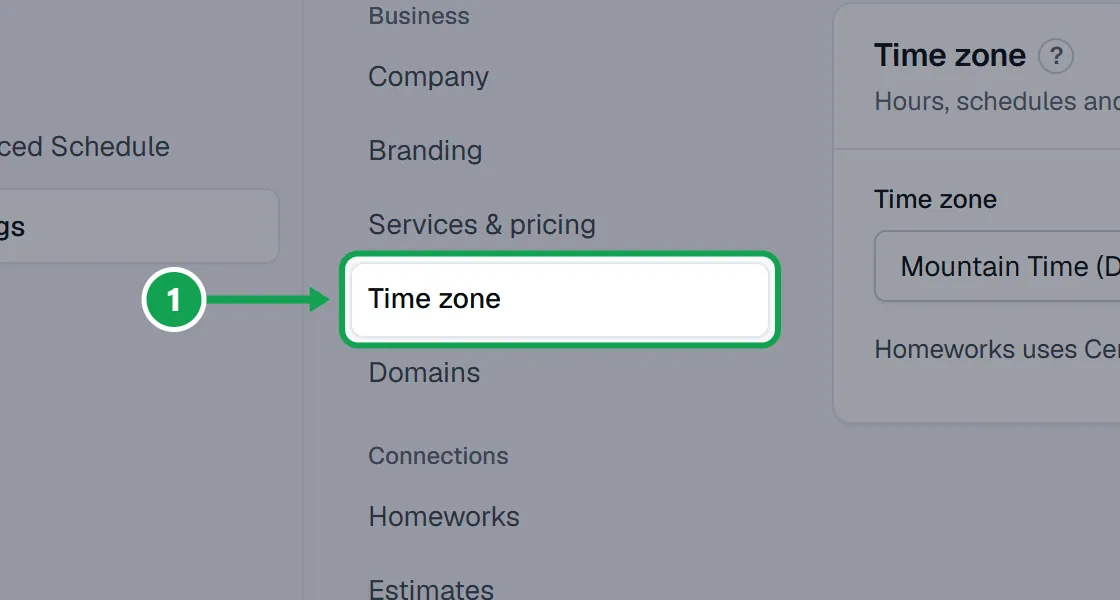
Step 1. Open Settings and choose Time zone.
Step 2. Pick your zone in the Time zone list. You can type to search it.
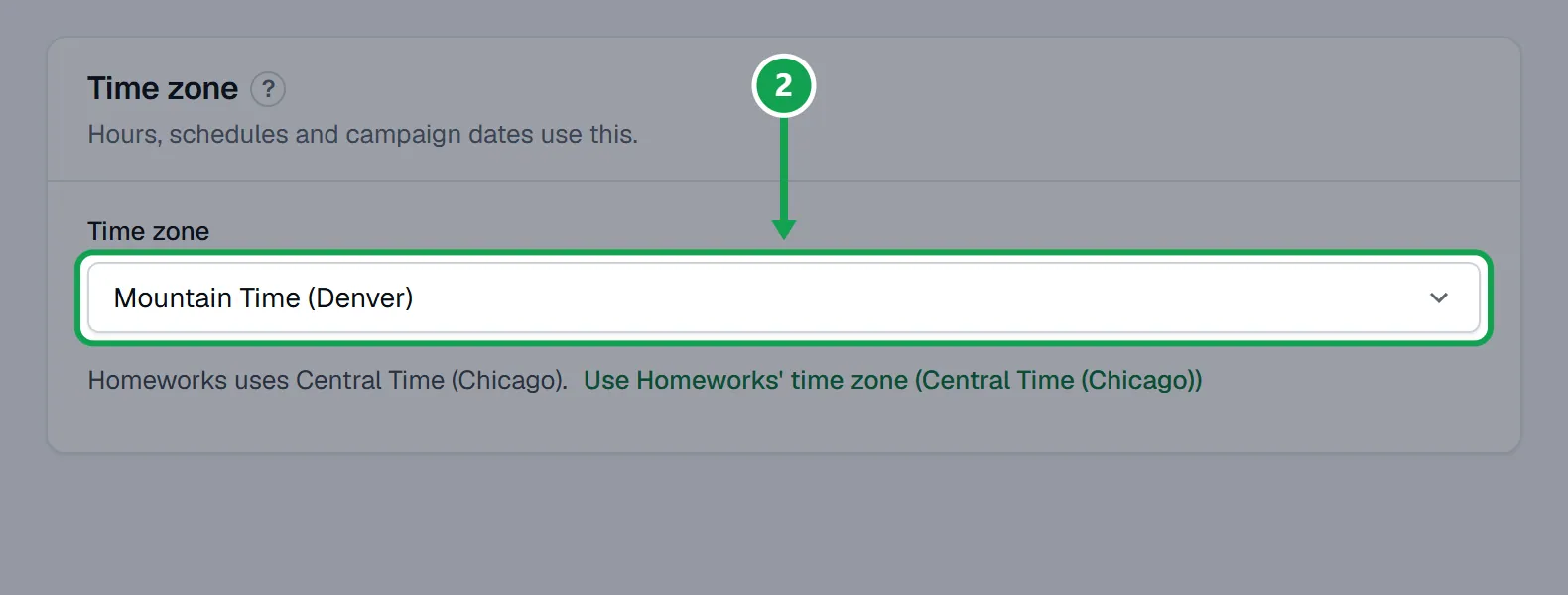
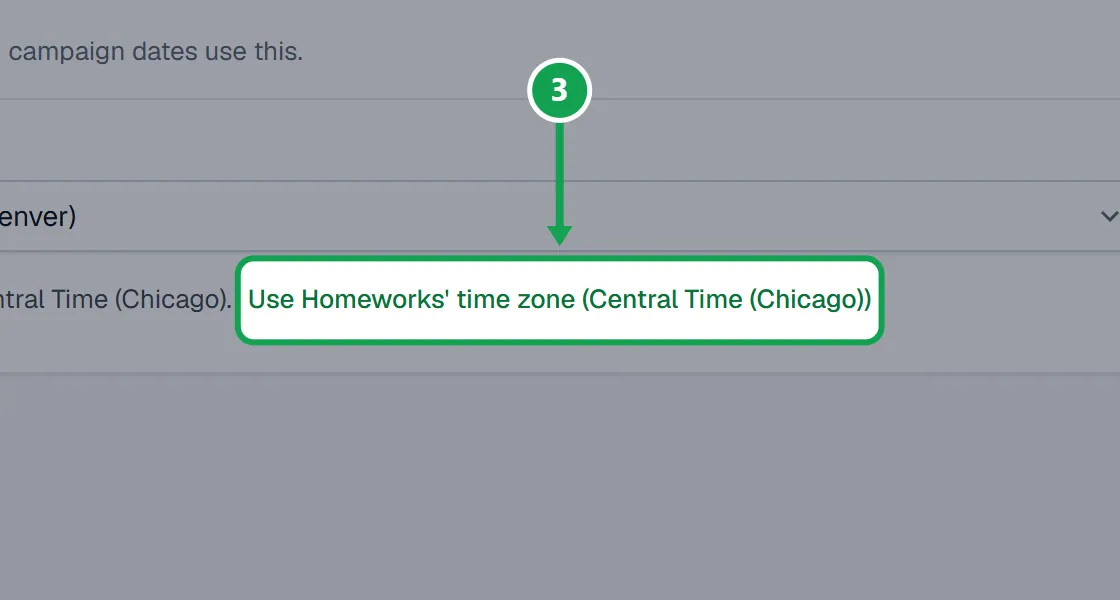
Step 3. If Seasonly shows Homeworks uses a different zone, press Use Homeworks' time zone so the two match.
Step 4. It saves as soon as you pick. You will see Saved. under the list.
If this, then that
- If Seasonly shows Homeworks uses a different zone
- Press Use Homeworks' time zone so both clocks match, or change the zone in Homeworks if Homeworks is the one that is wrong.
- If you do not see the Homeworks line at all
- Homeworks is not connected, or it uses the same zone already.
- If the list is grey and says Only the owner can change this.
- You are signed in as staff. Ask the owner to set it.
- If campaign dates or follow-up times still look off after you change it
- Refresh the page, then check that Homeworks uses the same zone. Seasonly and Homeworks each run on their own clock.
Good to know
- Working hours, the schedule, campaign start and end days and follow-up send hours all use this clock.
- Daylight saving is handled for you: pick the place, not an hour offset.
- Automatic scheduling needs it to match your Homeworks time zone.
- Only the owner can change it.