Connect Clarity Measure to measure lawns
Link Clarity Measure so each new request's lawn is measured from the address, then turn measuring on and set a daily limit.
Steps
Step 1. Open Settings and choose Clarity Measure.
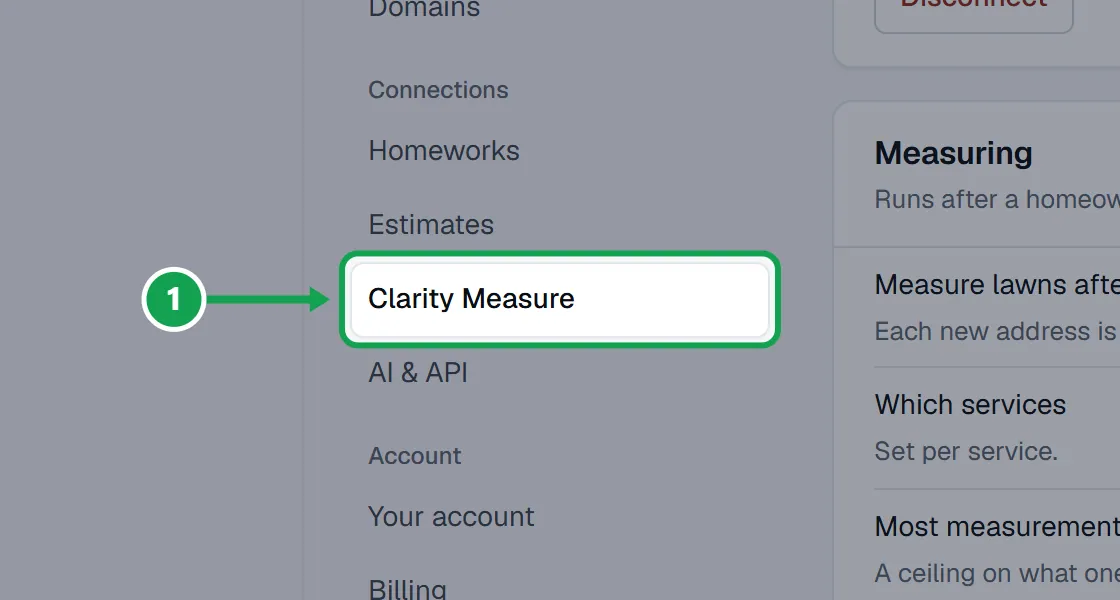
Step 2. Press Connect Clarity Measure, sign in to Clarity Measure and approve. Seasonly never sees your password.
Step 3. Or use a key: open Use an API key instead, paste the key (it starts with cm_live_) into Clarity Measure API key and press Check and save. Checking the key costs nothing.
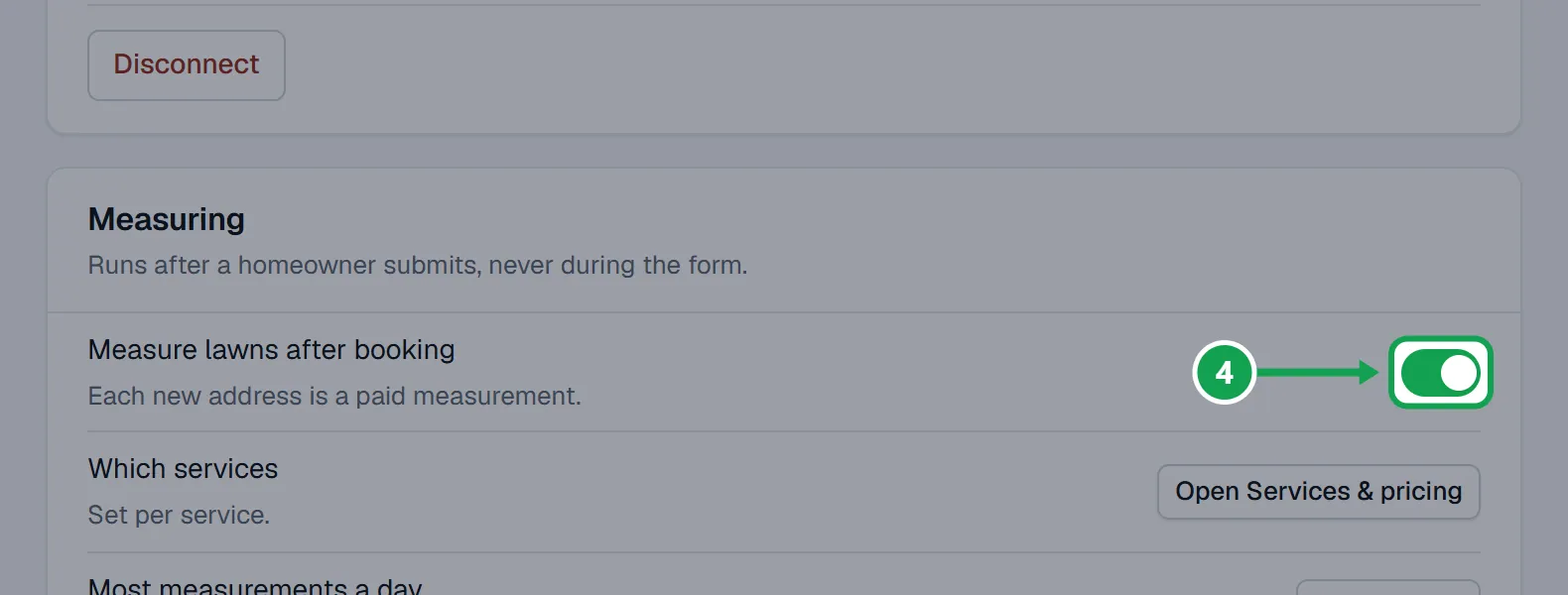
Step 4. Once connected, the card says how you connected and shows your Clarity Measure plan. Turn on Measure lawns after booking in the Measuring card. It saves as soon as you press it.
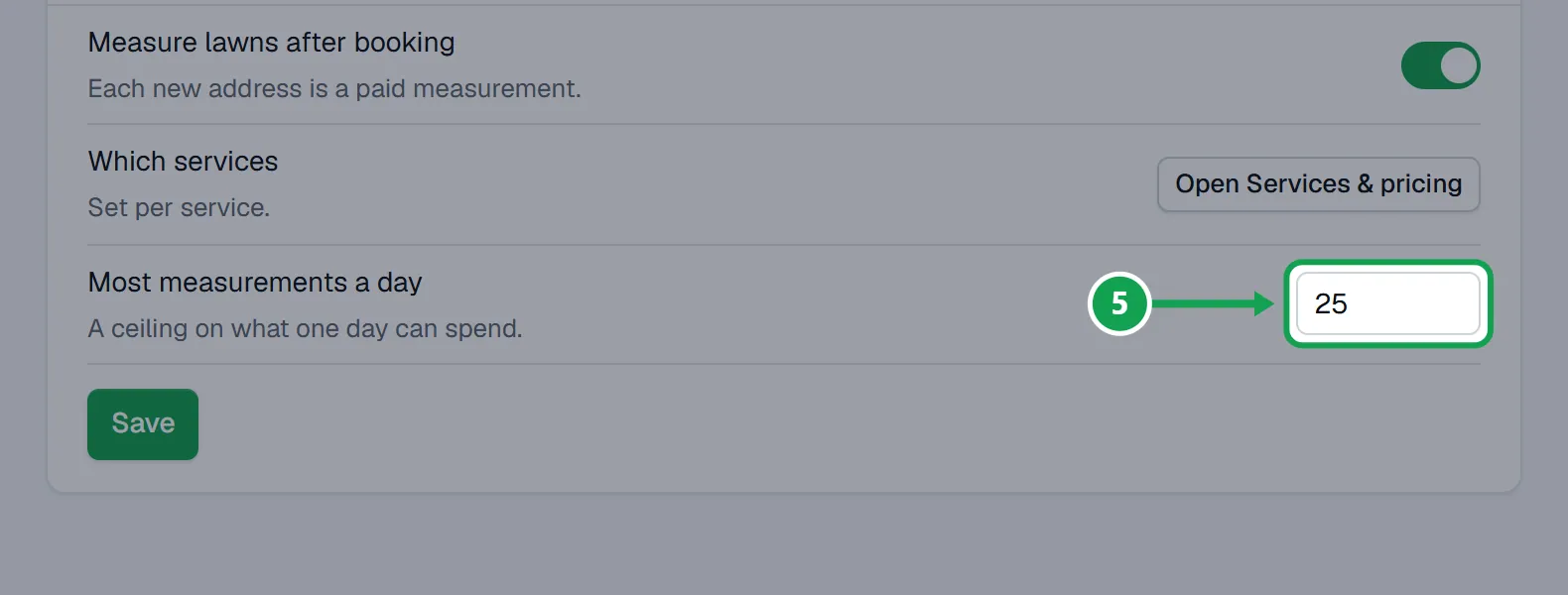
Step 5. Type a number from 1 to 500 in Most measurements a day and press Save. It caps what one day can spend.
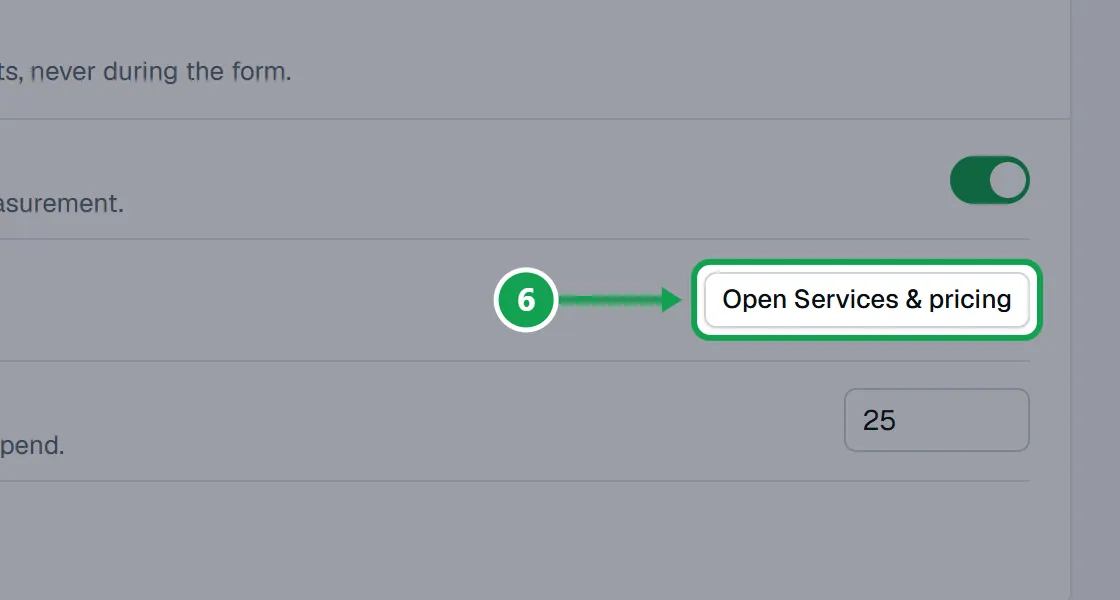
Step 6. Press Open Services & pricing to choose which services get measured.
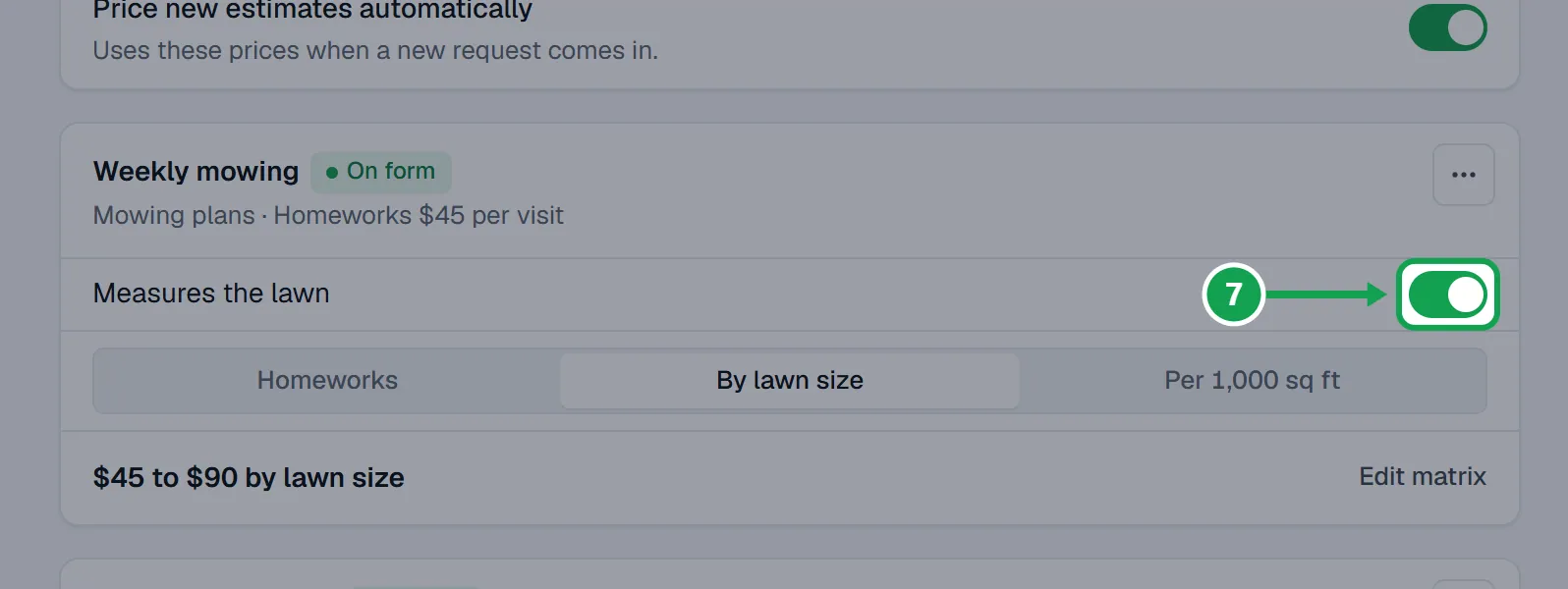
Step 7. On each service, turn Measures the lawn on or off.
Disconnect Clarity Measure
Seasonly deletes its copy of your key or connection, and the form asks homeowners for their lawn size again.
Step 1. Open Settings, Clarity Measure and press Disconnect.
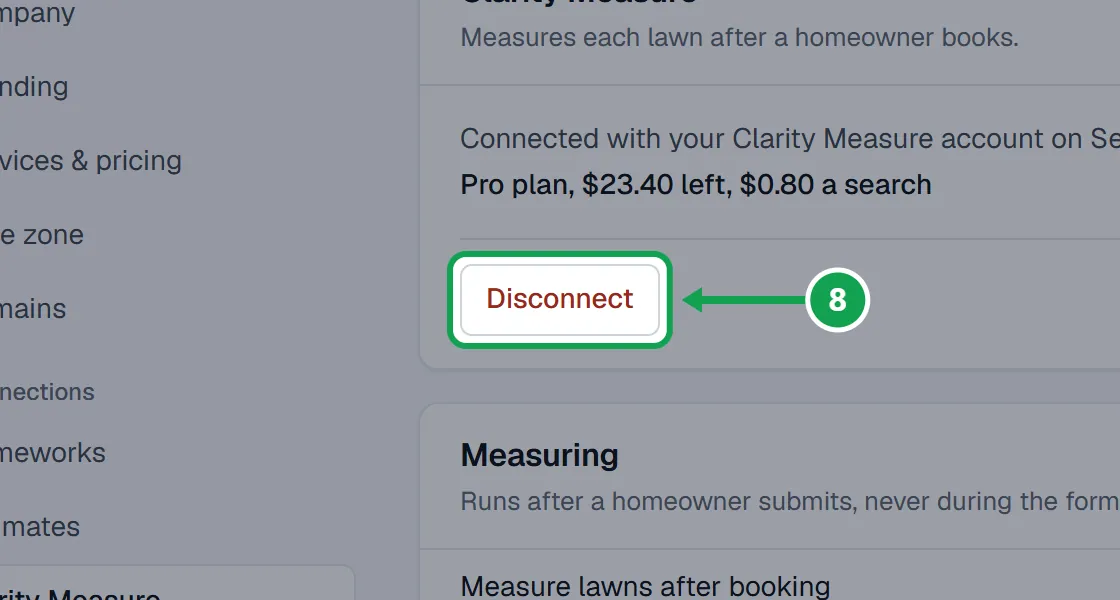
Step 2. Press OK in the box that asks if you are sure.
Step 3. To stop the key working everywhere, remove it in Clarity Measure under API keys or connected apps.
If this, then that
- If the card says Connect again
- Clarity Measure stopped accepting the connection. Press Connect Clarity Measure again or paste a new key. Until then the form asks for the lawn size.
- If the card says Plan not active
- Your Clarity Measure plan has lapsed, so measuring shows off. Press Open Clarity Measure to fix the plan there.
- If it says Measuring works, with a Reconnect button
- Measuring already works. Press Reconnect and approve again, so Seasonly can also read your plan and service areas.
- If it says This key only has measuring access
- Measuring already works. Clarity Measure's API keys page cannot give a key access to your plan or service areas yet, so Seasonly uses its own service area until it can.
- If lawns were waiting when you connected again
- Seasonly measures the ones from the last 7 days by itself and says how many under Check and save. Each shows Measuring the lawn on its request.
- If requests say Not measured: daily limit reached
- Raise Most measurements a day and press Save, or press Measure now on the request.
- If you see no buttons, only Only the owner can change this.
- You are signed in as staff. Ask the owner to connect it.
- If the key is refused when you press Check and save
- Copy the whole key again from Clarity Measure under API keys. It starts with cm_live_.
Good to know
- Every measurement uses Clarity Measure's Fast mode. There is no accuracy choice to make.
- Each new address is a paid measurement, at the price your Clarity Measure plan shows. An address measured in the last 180 days is reused free.
- It measures after the homeowner sends the form, never while they fill it in, and only inside your service area when you have drawn one.
- Measuring stays off until you turn it on. The daily limit is counted over the last 24 hours.
- Only the owner can connect, change or disconnect it. Staff see how it is set.